

WhatsApp Business Platform
AvailableConnect a WhatsApp Business account, phone number, and templates through Meta.
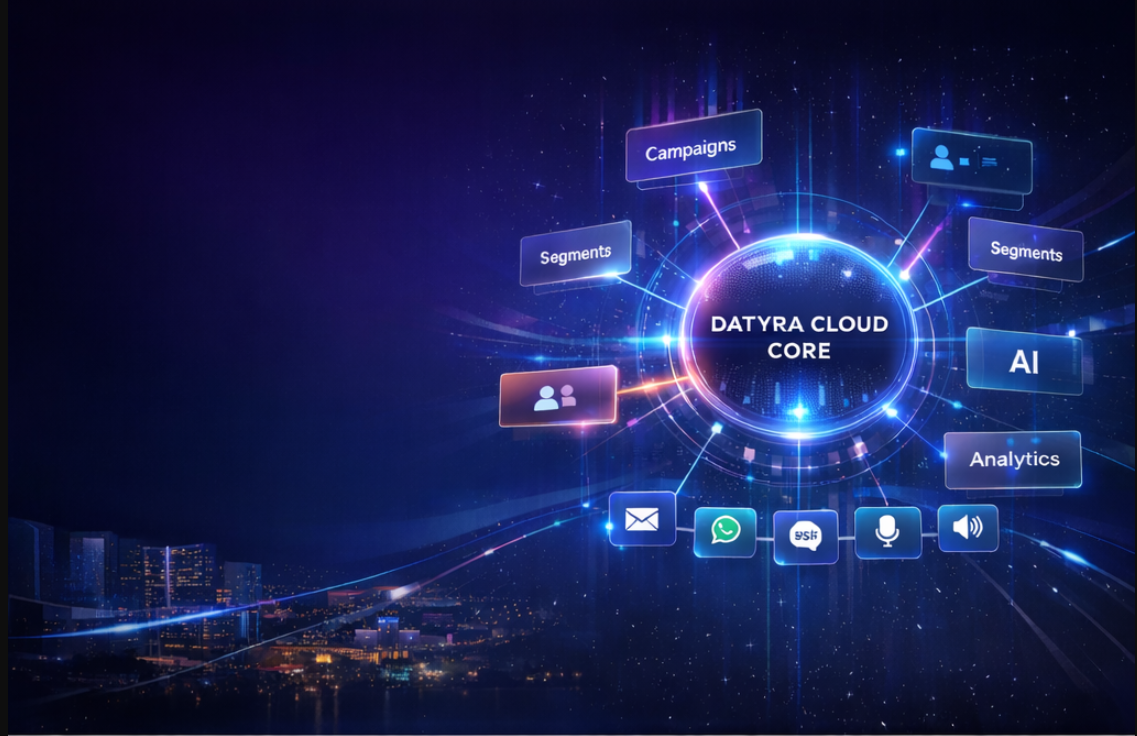
Unify segmentation, campaigns, automation, and multi-channel messaging on one scalable platform.
Platform
Bring customer data, messaging, AI-powered content creation, segmentation, and automation together in one connected platform.
Conversations, approved templates, and chatbots on the WhatsApp Business Platform.
WhatsApp, Instagram, Messenger, and comments in one queue, with assignment and routing.
Design campaigns, choose an audience, and review delivery from one workspace.
Prepare SMS templates now. Live sending is not available yet.
Generate images, plan video, and keep brand kits and prompts together.
Create, schedule, and review posts for Facebook, Instagram, LinkedIn, and X.
Keep contacts, leads, and follow-up activity on one customer record.
Save contact filters and reuse the audience in a campaign.
Connect a Meta ad account and prepare a campaign, creative, audience, and budget. LinkedIn ads are still in development.
Run scheduled jobs today. Cross-channel journeys are still a preview.
Build bot flows with messages, buttons, questions, and lead capture.
Publish a branded page with channel links and a QR code, then review visits and clicks.
Store images, video, and documents with folders, tags, and search.
Connect a Google account and import contacts from a spreadsheet.
Review delivery and the engagement metrics each channel actually records.
Register attendees, issue a QR code, and check people in.
WhatsApp Business
Connect with customers through the WhatsApp Business Platform. Manage conversations, send approved templates, and keep the relationship in one thread.
WhatsApp campaigns
Create a campaign, choose a saved audience, personalize an approved template, and follow delivery from one place. Marketing templates are not sent as service messages.
WhatsApp chatbots
Automate replies with bot flows. Datyra uses message steps, button choices, questions, and actions such as creating a contact or assigning an agent.
WhatsApp templates
Keep marketing, utility, and authentication templates in a library, with a language and an approval state. A draft from the Creative Assistant is only a suggestion until Meta approves the template.
Email marketing
Design a campaign, choose who should receive it, personalize the message, schedule the send, and review delivery in email analytics.
SMS
Coming soonSMS templates and provider settings can be prepared. Live SMS sending is not available yet, so this view is a preview only.
AI Creative Studio
Creative Studio is where Datyra generates images, plans video, stores brand kits, and keeps reusable prompts. Each area below is labeled with what you can use today. Saving a file to the asset library makes it available when you compose a social post. The studio does not publish or buy ads by itself.
Available
Describe the creative, choose a brand kit, and generate image variations you can save into the asset library.
Image creation
Generate product visuals and campaign artwork from a written instruction. Compare variations, pick an aspect ratio, apply a brand kit, and save the result to assets.
Reference images
Upload a product, reference, or logo, then describe what the new creative should show. Compare the source with the generated image before you save it.
AI video
PreviewBuild the video plan in Creative Studio: prompt, reference images, storyboard, aspect ratio, and duration. A finished video is produced only after a connected provider accepts the render.
Creative assistant
Use the Creative Assistant to shape an advertisement concept, tighten the instruction, and save the prompt for the next campaign. Suggestions stay drafts until you approve them.
CRM and contacts
Bring contact records and leads into one place. See where a person came from, their status, custom fields, and the latest follow-up.
Leads
The lead list uses these statuses: New, Contacted, Qualified, Proposal sent, Won, and Lost. Owners and follow-up tasks sit on the lead. This is the status model, not a drag-and-drop board.
Segments
Save a filter on contact attributes and custom fields, then reuse that segment when you send a campaign. The member list shows who currently matches.
Google Sheets Integration
Bring your customer and lead data into Datyra directly from Google Sheets. Connect your Google account, choose a spreadsheet, map your columns, and prepare recipients for WhatsApp campaigns—all through a guided import workflow.
From spreadsheet to WhatsApp audience in six simple steps
Connect your Google Account
Securely connect one or more Google accounts with read-only access to your spreadsheets.
Choose your Spreadsheet
Browse and select the spreadsheet containing your customer records, leads, or campaign recipients.
Select the Sheet
Choose the specific sheet tab containing the records you want to import.
Map Your Columns
Match spreadsheet columns such as mobile number, name, email, and city to Datyra recipient fields. Include additional information using supported custom fields.
Preview & Validate
Review recipient information, identify invalid records, and check available WhatsApp consent information before importing.
Import & Start Your Campaign
Import validated recipients into your campaign audience and continue preparing your WhatsApp messages.
Currently available: one-time Google Sheets import. Automatic synchronization is planned.
Automation
AutoJobs cover scheduled operational work, retries, and logs. The cross-channel path on the right is a preview of how a journey could read. It is not a live journey builder. Scheduled social posts are managed in Social Publishing, not in that preview.
Asset library
Keep images, videos, and documents in the media library. Search, filter by folder or tag, preview a file, and pick it when you build a campaign.
Analytics
Email reporting includes delivery, opens, and clicks. WhatsApp reporting includes sent, delivered, read, and failed. Social publishing, the inbox, and Connect Hub have their own activity views. The numbers in this preview are sample figures, not live results.
Events
Create an event, track registration status, and check attendees in with a QR code. The scanner accepts a valid credential and rejects an expired one.
Integrations
These are the customer-facing connections available today. Infrastructure providers that Datyra runs on are not listed as products you connect.
Connect a WhatsApp Business account, phone number, and templates through Meta.
Authorize Facebook Pages and Instagram professional accounts for publishing and for the inbox. This is product authorization, not a claim that every Meta API is enabled.
Member-profile publishing can be authorized. Company Page publishing and LinkedIn ads are not production-ready.
Posting can be authorized when this environment has X API credentials. X advertising is not offered.
Connect a Google account and import a sheet. Ongoing sync is planned, not live.
Send workspace events to an endpoint you control.
Use a workspace API key for the integrations you build.
Industries
The same customer record, audience, and messaging tools support practical work in each of these settings.
Update customers about an order on WhatsApp or email, and keep product creatives in the asset library.
Invite people to a session, keep the attendee list, and check them in with a QR code.
Run registration, reminders, and door check-in from the event record.
Track a lead from first enquiry to won or lost, and schedule the next follow-up.
Send booking updates with an approved template and keep the guest on the contact record.
Send appointment reminders with an approved utility template. Datyra does not replace a clinical system.
Keep a proposal status on the lead and follow up by WhatsApp or email.
Security
Workspace boundaries, encryption, and governed access stay in place while you connect the channels above.
Strict tenant boundaries between workspaces.
Encryption at rest and in transit.
Governed access with an audit trail.
Workspace keys and endpoints for systems you own.
Why Datyra
Datyra keeps the customer record, the audience, the creative, and the send in the same workspace.
Contacts, leads, and imports land on one record.
WhatsApp, email, and supported social accounts are in the workspace. SMS is still coming.
Generate images and plan video without leaving the workspace.
Save a filter once and reuse it on the next campaign.
Build, schedule, and review a send from the same place.
Pick a saved file instead of uploading it again.
Conversations, events, and follow-up stay attached to the customer.
Connected journey
This is how the workspace fits together. SMS is coming soon, and Google Sheets sync is planned. The import, CRM, segments, creative studio, live channels, and analytics are available now.
Google Sheets
One-time import. Sync is planned.
CRM and contacts
Records and lead status.
Audience segments
Saved contact filters.
AI Creative Studio
Images, plans, and brand kits.
WhatsApp, email, and social
SMS is coming soon.
Campaign analytics
Delivery and engagement.
Getting started
Open a workspace and sign in when you are ready to work.
Connect WhatsApp Business, email, and the social accounts this workspace supports. SMS stays marked as coming soon.
Import contacts, save a segment, and draft the message or creative.
Send on a live channel, then read delivery in analytics.
FAQ
Datyra is a data orchestration and customer engagement platform. It brings contacts, segments, campaigns, WhatsApp, email, assets, events, and AI creative workflows into one workspace.
WhatsApp Business and email are available. Social Publishing can connect Facebook Pages, Instagram professional accounts, LinkedIn member profiles, and X when that environment is configured. The Unified Inbox covers WhatsApp, Instagram, Messenger, and comments. SMS templates can be prepared, and live SMS sending is coming soon.
No. Connect Hub counts page visits, QR scans, channel clicks, and WhatsApp enquiries recorded by the page. Those events do not prove that someone followed or subscribed.
Yes. You can connect a WhatsApp Business account and phone number. Marketing messages use approved templates. Replies inside a customer care window follow Meta conversation rules.
Yes. You can design templates and layouts, choose a segment, schedule a campaign, and review delivery, opens, and clicks.
Yes. Connect a Google account, choose the spreadsheet and sheet, map the columns, and import. More than one Google account can be connected. Automatic synchronization is not available yet.
You save filters on contact attributes and custom fields. Those filters apply together. Open the member list to see who matches, then reuse the segment on a campaign.
Yes. AI Creative Studio generates images from an instruction, with brand kits, variations, and a save action into the asset library. Uploaded product or reference images guide a new generation. They are not a pixel editor.
You can prepare the prompt, references, storyboard, aspect ratio, and duration. Rendering is a separate step and runs only when a video provider and credits are ready.
Email and WhatsApp are usage-based. WhatsApp also follows Meta conversation pricing. Datyra does not publish a rate card on this page. Book a demo to review the plan for your workspace.
Use Book a Demo in the header or at the bottom of this page. The same form collects the request.
Pricing
WhatsApp follows conversation pricing and email is usage-based. There is no public rate card on this page. Book a demo and we will walk through the plan for your workspace.
Bring your customer data, campaigns, and engagement workflows together with Datyra.
Unified Inbox
The inbox brings WhatsApp together with Instagram messages, Facebook Messenger, and public comments. Instagram and Messenger replies follow each provider's messaging window. LinkedIn and X conversations are not in this inbox.
Ads Manager
PreviewAds Manager is a preview. You can connect a Meta advertising account, then set an objective, creative, audience, and budget. Connecting an account does not launch ads or change an existing budget by itself, and Datyra does not turn on automated optimization.
Social Connect Hub
Publish a branded page, list the channels you want to offer, and generate a QR code that redirects to that page. Analytics count page visits, QR scans, channel clicks, and WhatsApp enquiries recorded by the page. A scan or a click does not prove that someone followed or subscribed.
Illustrative Datyra bot flow. No message is sent.
Bot flow
Demo flowFlow ready
Illustrative builder preview. Nothing is published and no WhatsApp message is sent.
Allow Datyra to read spreadsheet metadata and selected sheet rows for recipient import.
Social Publishing
Publish social content from the same workspace
Create a post, place it on the content calendar, and review publishing activity for accounts you have connected. Creative Studio does not publish for you. Save a generated file to the asset library, then choose it when you compose.